Budgets
What it does
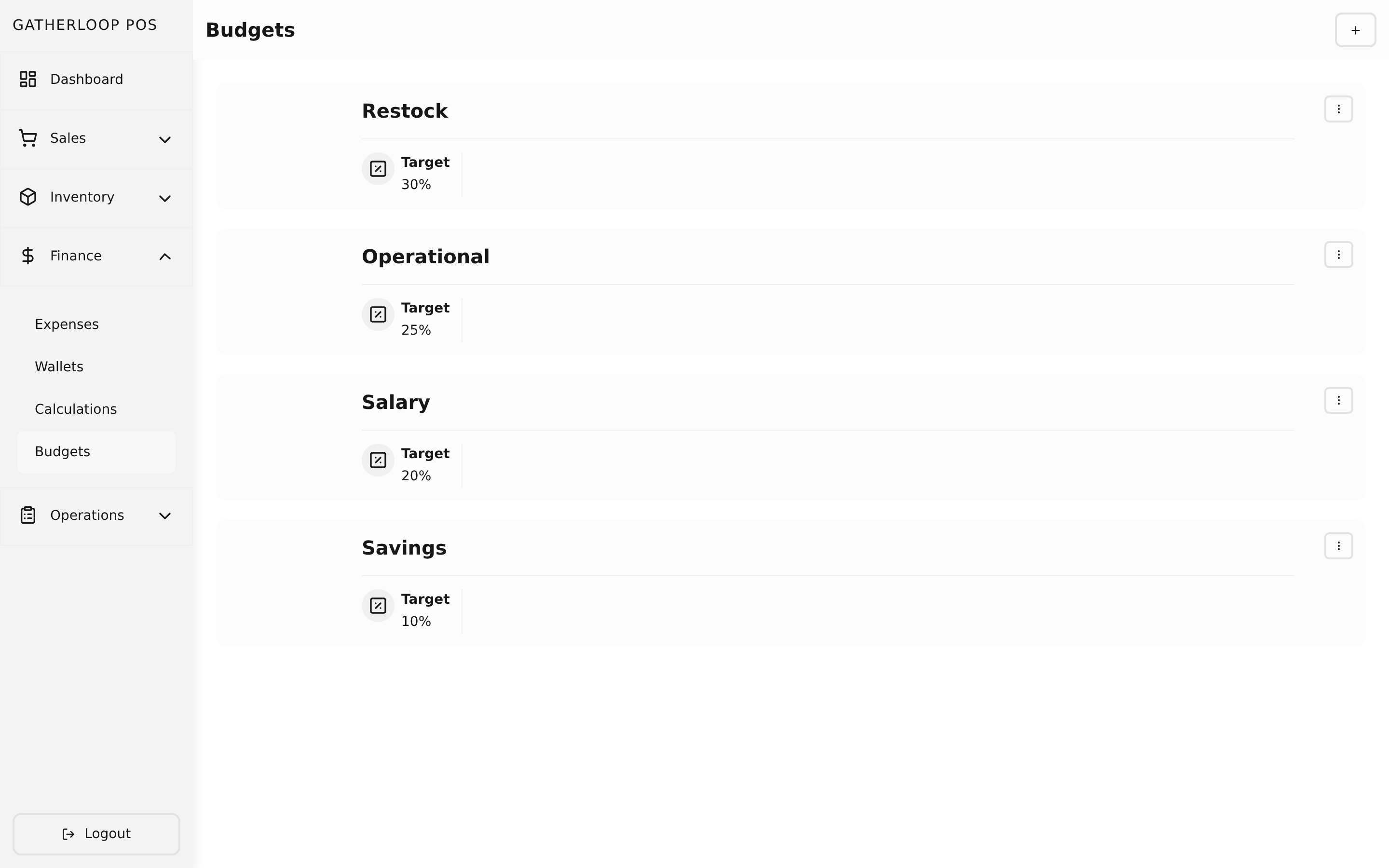
A budget is a spending category with a target — Restock, Salary, Operational, Savings — each configured with a single number: what percentage of revenue is expected to go toward it (30%, 20%, 25%, 10%, for example). A budget is deliberately simple to manage: give it a name and a target percentage, and it's ready to classify expenses.
The important thing a budget is not: a pool of money. It has no balance, and recording an expense against a budget never "spends down" anything on the budget itself — only the wallet that actually pays for the expense loses balance. Every period, the dashboard compares each budget's target % against its actual % (that category's real spend divided by the period's revenue) in a Target vs. Actual table, with over-target categories flagged.
Why it matters
Earlier in this product's life, budgets did hold a real balance: paying a sale split the income across budgets by percentage, and an expense was hard-rejected if its budget had run dry. In practice, categories like Restock or Operational ran out constantly, so staff booked real purchases against whichever budget still had room — usually "Profit" — which quietly corrupted the expense data and made budget balances meaningless as a signal.
The current model, based on how mainstream POS platforms actually solve this, replaces virtual envelope-blocking with honest classification plus a variance report: staff always tag an expense with what it truly was for, nothing is ever rejected to protect a fictional balance, and the owner reviews the Target vs. Actual table to see which categories are running hot. Real financial discipline — actually protecting payroll or savings money from being spent — is achieved the way a real business does it: by physically moving cash into a dedicated wallet (a Savings wallet, say) via a wallet transfer, which the expense flow's real balance check then protects. That's a guarantee a virtual budget number never gave.
Screenshot
Key capabilities
- Simple target-based setup — a name plus a target percentage of revenue (0–100), nothing more to configure.
- Pure classification, not a balance — an expense is checked against its budget only for "does this category exist," never for "is there room left."
- Target vs. Actual reporting — the dashboard computes each budget's real spend as a percentage of period revenue and compares it directly to the target, flagging categories running over.
- History-safe deletion — deleting a budget removes it from future use, but past expenses still report correctly against it by name in historical charts.
- Real discipline via wallets — protecting money for a category (like savings) is done by transferring it into its own wallet, not by a budget balance.
For engineers
- Web routes:
apps/pos-web/src/pages/budgets/{index,create,[budgetId]}.tsx - Screens:
libs/ui/src/presentation/screens/Budget{List,Create,Update}Screen.tsx - Components:
libs/ui/src/presentation/components/budgets/{BudgetList,BudgetListItem,BudgetFormView}.tsx - Entity:
libs/ui/src/domain/entities/Budget.ts - Backend:
apps/api/domain/budget_entity.go,budget_usecase.go,budget_repository.go; routes inapps/api/presentation/restapi/budget_route.go; example categories inapps/api/seeds/budget_seeder.go - Design doc:
docs/prd-cash-flow-budgeting.md(the full history of why balances were removed in favor of this model) - Related: Expenses for what gets classified, Wallets & Transfers for where real balance protection lives, Dashboard & Statistics for the variance report