Board-game Rentals
What it does
Alongside food and drink, the cafe rents out board games by the hour (or by the day), and that runs as its own small workflow: check-in when a customer starts playing, and checkout when they're done.
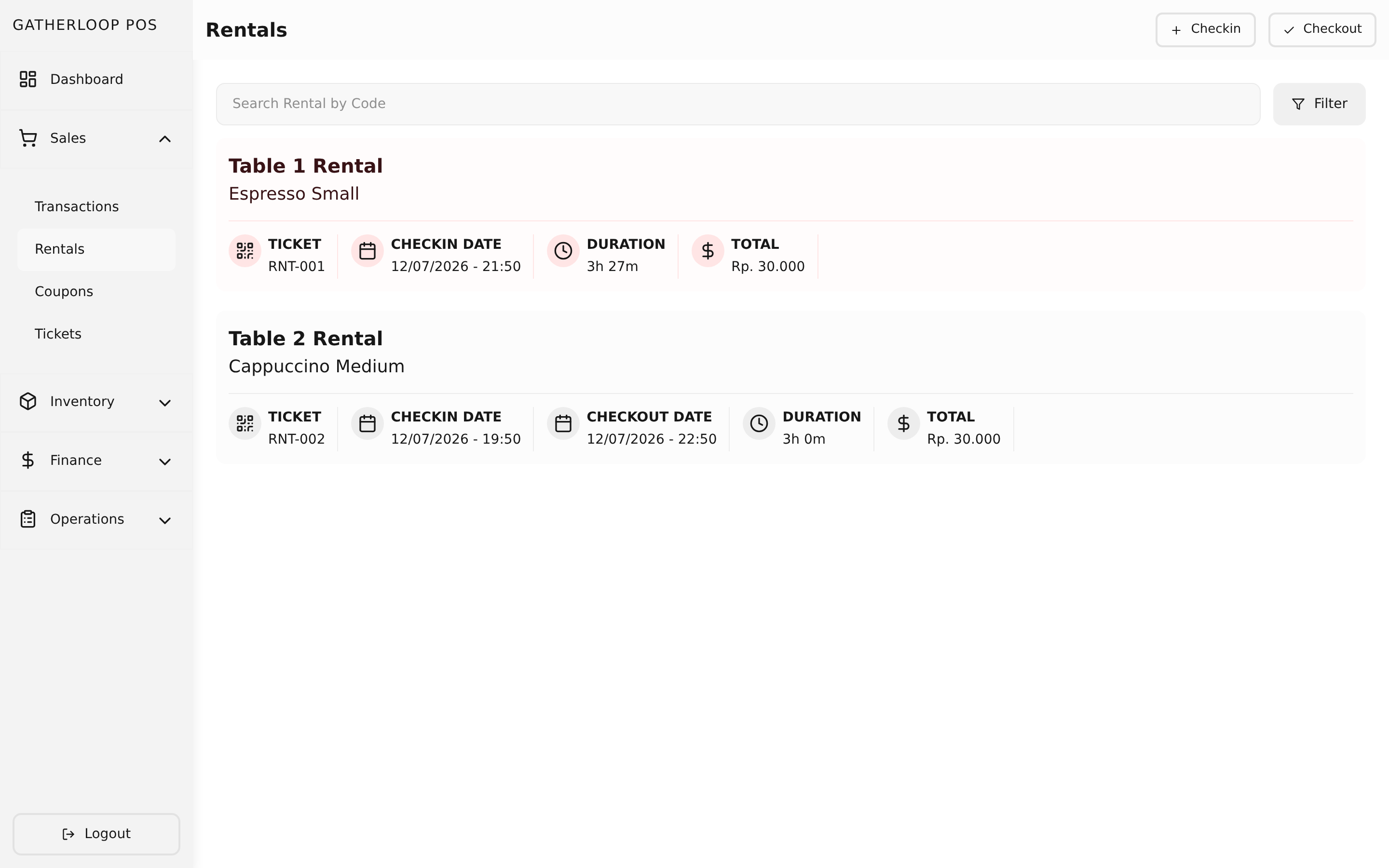
Each player checks in as their own rental record — a group of three friends playing one game is three rentals, each with its own start time — picked from the catalog just like a product, by product and variant. Staff can browse ongoing and completed rentals, filter and search them, and when a group is ready to leave, select their rentals on the checkout screen. The system works out how long they played, prices it from the variant's pricing tiers, and turns it straight into a transaction — no manual math, no separate invoice to reconcile.
Why it matters
Board-game rental is a real revenue line for the cafe, not a side perk, and its pricing is naturally usage-based: a table that plays for 45 minutes shouldn't pay the same as one that plays for 4 hours, and an all-day pass shouldn't be priced by the hour at all. Doing that fairly and consistently by hand invites both under-charging and customer disputes over "what we agreed to."
The system solves this by locking in the price the moment a customer checks in: whatever tiers were active at check-in are what they're billed on checkout, even if an admin changes prices later that same day. What a customer is quoted is what they pay.
Screenshot
Key capabilities
- One rental per person — a group checks in as multiple linked rentals, each independently timed, so partial groups can check out at different times.
- Pick from the catalog — check-in reuses the same product/variant search as a normal sale; no separate "rental catalog" to maintain.
- Backdated check-in — staff can customize the check-in date/time when entering a rental that already started (e.g. logging it a few minutes late).
- Live rental list — search and filter by status (ongoing / completed / all) to see who's still playing and who's already checked out.
- Two pricing shapes, one model — every rental variant carries a table of price tiers by duration:
- Hourly variants step up in tiers (e.g. up to 1 hour, up to 1.5 hours, up to 2 hours, …), each with its own price; playing past the longest tier caps at that tier's price rather than climbing forever.
- All Day variants (weekday or weekend rate) are the same mechanism with a single tier covering the whole operating day — a flat rate is just the simplest case of the tier model, not a separate feature.
- Tiers are configured once per variant, alongside other variant details in the Catalog.
- Price snapshotting — a rental's tier table is captured at check-in time and never affected by later price changes, so an in-progress rental is never re-priced out from under the customer.
- Automatic checkout pricing — checkout measures elapsed time, rounds up into the correct tier, and turns each rental into a priced transaction line automatically.
- Coupons after checkout — once a checkout produces a transaction, staff can attach per-ticket coupons (like a student discount on one ticket in a group) directly on that transaction.
For engineers
- Screens:
libs/ui/src/presentation/screens/RentalCheckinScreen.tsx,RentalCheckoutScreen.tsx,RentalListScreen.tsx - Entities:
libs/ui/src/domain/entities/Rental.ts,Variant.ts(PricingTier) - Backend:
apps/api/domain/rental_usecase.go - Design docs:
docs/trd-board-game-rental-pricing.md,docs/plan-board-game-rental-pricing.md