Suppliers
What it does
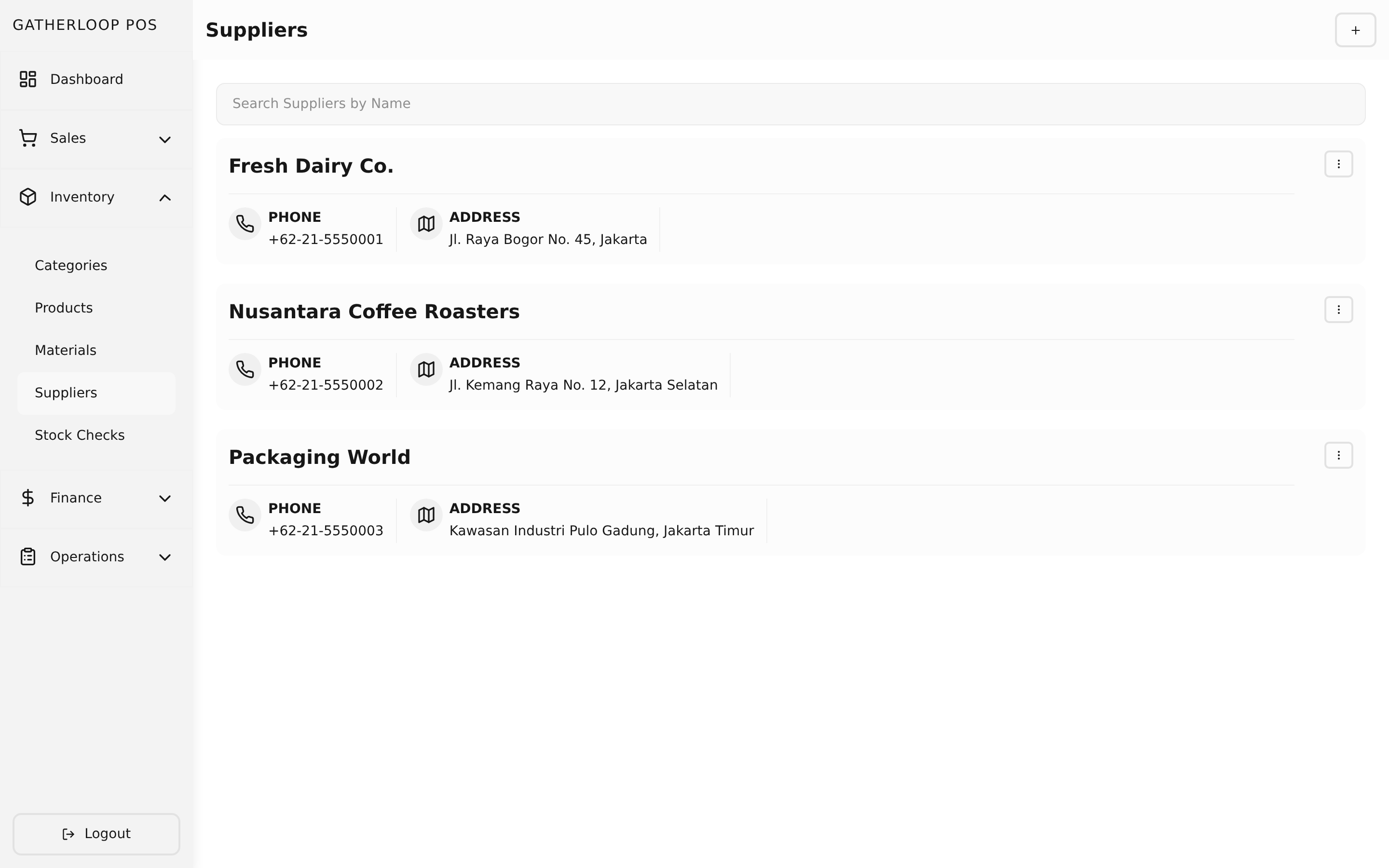
A supplier is a simple directory entry for anywhere the cafe sources a material from — a name, an optional phone number, an address, and a maps link. On its own that's just a contact card. What makes it useful is the link back to materials: any material can be connected to one or more suppliers, and each connection records how that supplier is reached — online (with an order URL), offline (walk-in, using the supplier's address), or delivery (phone/WhatsApp). A material can even be linked to the same supplier under two different purchase types, if it's normally a walk-in but occasionally a phone-in order.
Those links are managed right on the material's own page — add a supplier row, pick a purchase type, and (for online) supply the order URL. They're not a separate thing to maintain; the supplier record itself stays minimal, and it's the material→supplier link that carries the purchasing detail.
Why it matters
A purchase list that just says "buy 5 kg of coffee beans" still leaves someone hunting for a phone number or a storefront link before they can act on it. Recording how to reach each supplier once, per material, means the purchase list can turn straight into one-tap actions — open the store, open the map, call, or WhatsApp — instead of a second lookup in a group chat or a bookmarks folder. It also gives the crew visibility into channel diversity: if a material is only ever bought from one supplier, that's a supply-chain risk worth knowing about; if it's available both online and as a walk-in, staff can pick whichever fits the morning.
Deleting a supplier is safe by design — it soft-deletes along with every material link that pointed to it, so a closed vendor cleanly disappears from every purchase list without leaving a dangling reference behind.
Screenshot
Key capabilities
- Minimal contact record — name, optional phone, address, and a maps link; nothing to fill in beyond what's actually needed to reach them.
- Searchable directory — a paginated, searchable supplier list, each entry offering Open Map, Edit, and Delete actions.
- Linked from the material, not the other way around — suppliers are attached to a material on that material's own form, with the full list of that material's suppliers saved together with the material in one submission.
- Three purchase types per link —
Online(needs a purchase URL, validated as a real link),Offline(reuses the supplier's address and maps link — nothing extra to enter), andDelivery(reuses the supplier's phone; a supplier with no phone on file blocks a delivery link from being saved). - Multiple suppliers, multiple channels, per material — a material isn't limited to one supplier, and the same supplier can be linked more than once under different purchase types.
- Powers the purchase list directly — every supplier link becomes a grouped section and an action button on the Purchase List; materials with no linked supplier are flagged there as "Unassigned" rather than silently dropped.
- Safe deletion — removing a supplier soft-deletes its material links in the same transaction, so it cleanly drops out of every material and every future purchase list.
For engineers
- Screens:
libs/ui/src/presentation/screens/SupplierListScreen.tsx,SupplierCreateScreen.tsx,SupplierUpdateScreen.tsx - Components:
libs/ui/src/presentation/components/suppliers/SupplierFormView.tsx,SupplierList.tsx,SupplierListItem.tsx - Entities:
libs/ui/src/domain/entities/Supplier.ts; the material-link types (MaterialSupplier,PurchaseType) live onlibs/ui/src/domain/entities/Material.tssince the junction is material-owned - Backend:
apps/api/domain/supplier_entity.go,supplier_usecase.go(delete cascades intomaterial_suppliers); junction handling lives inapps/api/domain/material_usecase.go/material_repo.go - Web routes:
apps/pos-web/src/pages/suppliers/{index,create}.tsx,[supplierId].tsx - Design doc:
docs/prd-inventory-purchase-suppliers.md - Related: Materials for where suppliers are linked, Purchase Lists for where the links pay off