Expenses
What it does
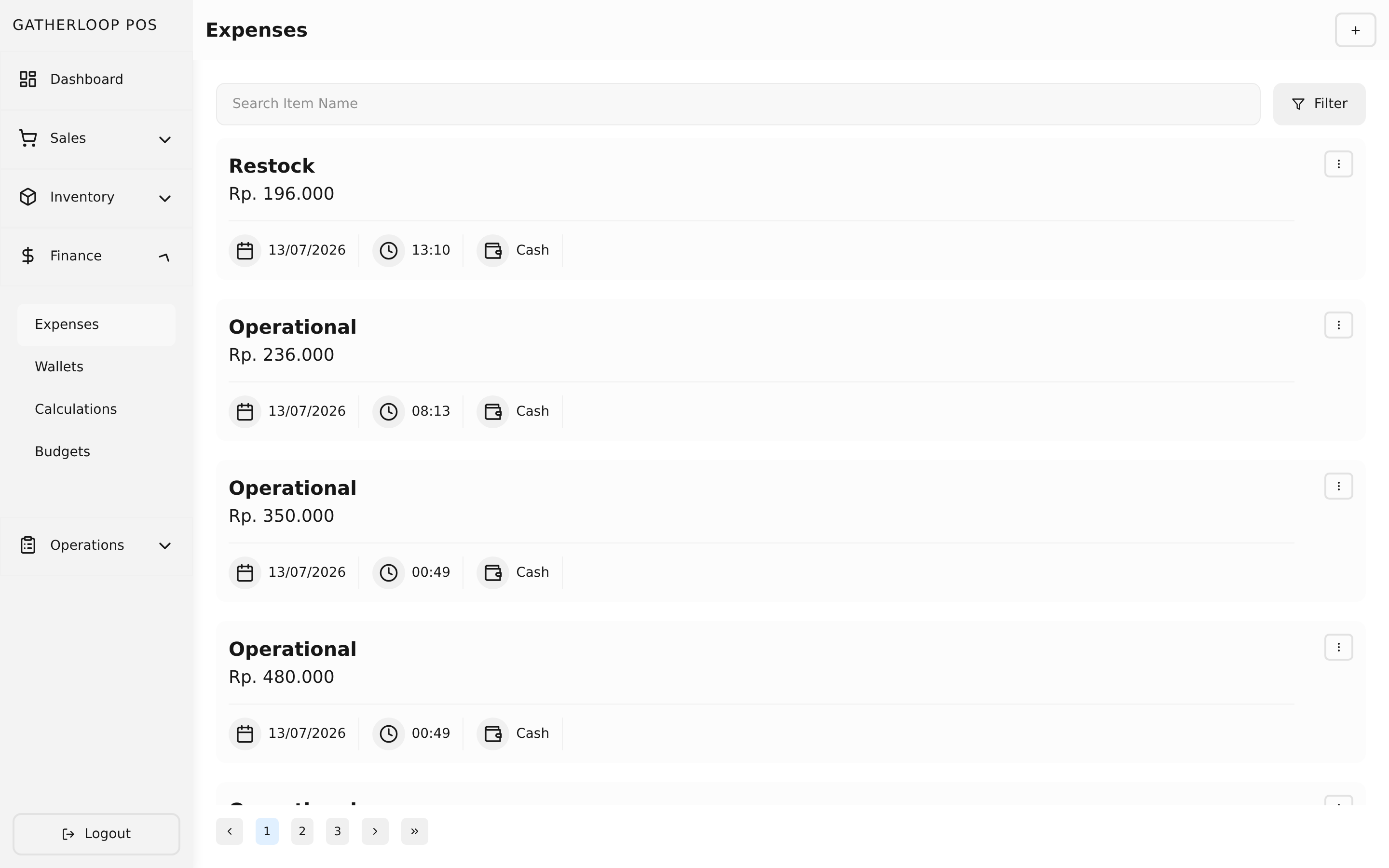
An expense is a purchase paid out of a wallet and classified under a budget category — restocking supplies, paying a salary, a one-off operational cost. Recording one means picking which budget category it belongs to, which wallet actually pays for it, and then listing the individual items bought (name, quantity, unit, price); the subtotal and grand total compute live as items are added.
On submit, the money side is enforced where it actually matters: the chosen wallet's balance is checked and deducted (an expense that would overdraw the wallet is rejected), while the budget is validated only as a classification — it just has to exist. Editing an expense refunds the original wallet and re-deducts against the new one; deleting refunds it. Every expense is a single, one-off entry — there's no recurring-expense mechanism, and a budget is not a separate pool of money an expense draws down (see Budgets for why).
The expense list is searchable by item name and filterable by wallet or budget, so "everything paid out of Cash" or "everything under Salary" is one filter away.
Why it matters
Every rupiah leaving the business should be traceable to two things: what it was for, and where it actually came from. Tying every expense to a real wallet means the wallet's balance always reflects real, reconciliable cash or bank movement — an expense simply cannot be recorded against money that isn't there. Tying it to a budget category, without pretending that category holds its own balance, means staff never have an incentive to mis-categorize a purchase just to get it past a check — a problem the Budgets page explains in more detail. The result is expense data that's honest enough to actually chart and trust on the dashboard.
Screenshot
Key capabilities
- Line items — an expense is built from one or more named items, each with unit, price, and amount; subtotal and total compute live.
- Budget classification — every expense is tagged with a budget category for reporting, validated only for existence, never for balance.
- Wallet-backed spending — every expense debits a real wallet balance, and is rejected outright if that wallet can't cover it.
- Edit-safe balances — updating an expense refunds the old wallet and re-deducts the new one; deleting refunds it, so wallet balances never drift.
- Search & filter — find expenses by item name, or filter the list down to one wallet or one budget.
- Feeds statistics — every expense rolls up into the dashboard's expense chart and Target vs. Actual table, grouped by budget.
For engineers
- Web routes:
apps/pos-web/src/pages/expenses/{index,create,[expenseId]}.tsx - Screens:
libs/ui/src/presentation/screens/Expense{List,Create,Update,Statistic}Screen.tsx - Components:
libs/ui/src/presentation/components/expenses/{ExpenseList,ExpenseListItem,ExpenseFormView,ExpenseDeleteAlert}.tsx - Entity:
libs/ui/src/domain/entities/Expense.ts - Backend:
apps/api/domain/expense_entity.go,expense_usecase.go,expense_repository.go; routes inapps/api/presentation/restapi/expense_route.go - Design doc:
docs/prd-expense-statistics.md - Related: Budgets for the classification model, Wallets & Transfers for the balance that's actually debited, Dashboard & Statistics for the reporting this feeds